
Blog
Building AI agents without coding skills: from idea to working automation in 1 week
15 March 2022 By Tijn Meijerink
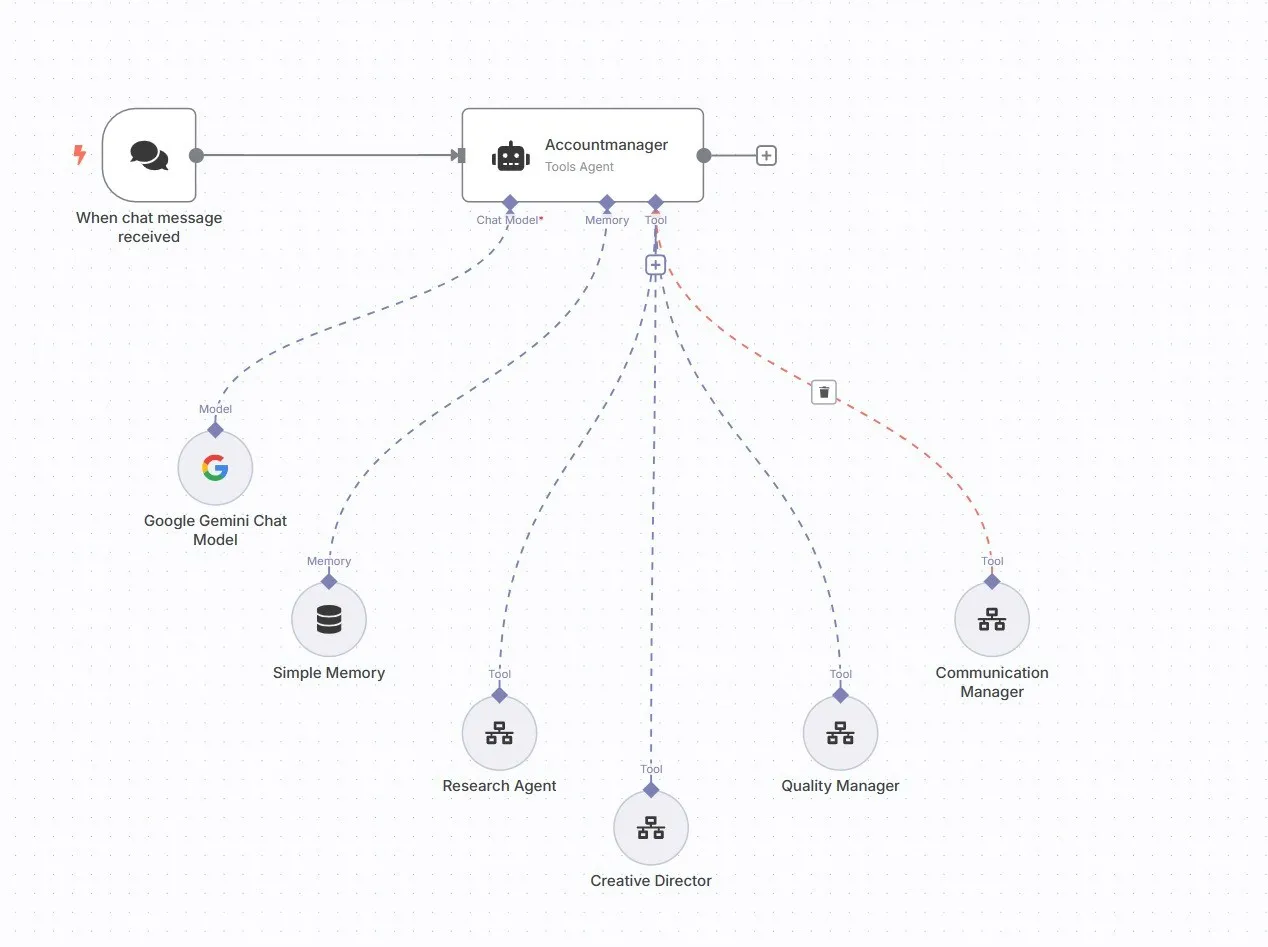
Programming seems impossibly complex, but automating your business processes with AI? That can be far simpler than you think. While traditional software development takes months and costs thousands of euros, you can now build a working AI agent within a week that solves your specific business problem.
No code, no technical background needed, just a clear idea of what you want to automate and the willingness to learn a new tool. In the Netherlands, business owners like you build AI agents every day that make their companies work smarter.
In this practical guide you will learn:
What AI agents are exactly and how they work
Which business processes are best to automate
Step by step how to build your first AI agent
How to grow from simple automation to advanced business intelligence
What are AI agents and why does every SMB need one?
AI agents explained for business owners
An AI agent is a digital employee that performs tasks independently and makes decisions based on rules you set. Unlike a simple automation, an AI agent can:
Interpret information (read and understand emails)
Make contextual decisions (urgent vs. normal)
Communicate with other systems (CRM, email, accounting)
Learn from patterns and keep getting better
Report on results and suggest improvements
Practical examples of AI agents in Dutch companies:
For an accounting firm:
"The Invoice Processor"
Receives invoices by email
Automatically extracts amounts, suppliers, VAT
Checks for duplicate invoices
Books to the correct ledger account
Sends approval request to the right manager
Schedules payment on the optimal date
For an e-commerce webshop:
"The Customer Success Agent"
Monitors customer behavior after purchase
Detects signs of dissatisfaction
Sends proactive support messages
Organizes automatic follow-up
Identifies upselling opportunities
Reports customer satisfaction trends
For a consultancy firm:
"The Lead Qualifier"
Analyzes incoming requests
Scores leads based on fit and budget
Automatically creates intake reports
Schedules first calls in the calendar
Sends personalized follow-up
Keeps the sales pipeline up to date
Step 1: Identify your first automation opportunity
The golden rule: start small, think big
The best first AI agent solves a specific, recurring problem you currently do manually:
Perfect for your first AI agent:
Repetitive: You do it several times a week
Consistent: It mostly follows the same pattern
Time-consuming: It costs you at least 2 to 3 hours a week
Error-prone: Human mistakes happen
Clear rules: You can explain how you do it
Examples of ideal first projects:
For service businesses:
Processing and routing intake forms
Creating quotes based on standard prices
Invoicing after project completion
Completing client onboarding checklists
For product businesses:
Inventory monitoring and reordering
Categorizing and routing complaints
Automating supplier communication
Quality control reporting
For retail/e-commerce:
Optimizing product photos for the website
Review monitoring and response
Inventory management across channels
First-line customer service
Process mapping: from chaos to automation
Step 1: Document your current process
Take one process and write down every step:
Example: New client onboarding
New client contract signed
Enter client details in CRM
Create project folder in Google Drive
Send welcome email with login details
Schedule first meeting
Inform team about the new client
Start onboarding checklist
Step 2: Identify manual steps
Mark what you currently do manually:
✅ Data entry (CRM update)
✅ File management (creating folders)
✅ Communication (sending emails)
✅ Scheduling (booking meetings)
❌ Personal contact (first conversation)
Step 3: Design the automated flow
Trigger: Contract signed in DocuSign
↓
AI agent knows: client name, contact, contract details
↓
Action 1: Create client in CRM
Action 2: Create project folder in Drive
Action 3: Generate login details
Action 4: Send personalized welcome email
Action 5: Schedule meeting for next week
Action 6: Notify team via Slack
Action 7: Start onboarding checklist
↓
Result: New client fully set up within 5 minutes
Step 2: Choose your no-code AI platform
The best platforms for Dutch business owners
n8n (open source), for full control
Pros:
Completely free to use
Dutch community
Self-hosted data (GDPR-compliant)
Unlimited integrations
Cons:
More technical setup required
Self-hosting/maintenance
Smaller template library
Best for: Tech-savvy owners who want full control
Zapier, for quick implementation
Pros:
Very user-friendly
Huge app library (5000+)
Built-in AI features
Ready-made templates
Cons:
Can get expensive with heavy use
Less flexibility
Data sits in the US
Best for: Owners who want to start quickly
Make (formerly Integromat), for advanced logic
Pros:
Visual workflow editor
Powerful data transformation
Good price/performance ratio
European servers available
Cons:
Steep learning curve
More complex than Zapier
Less well-known brand
Best for: Owners with complex processes
Step 3: Build your first AI agent
Practical example: "The Invoice Processor"
Let's build an AI agent together that processes invoices automatically:
Required integrations:
Email (Gmail/Outlook)
AI document reader (ChatGPT/Claude)
Spreadsheet (Google Sheets/Excel)
Accounting software (Exact/Moneybird)
Step-by-step implementation:
Step 1: Email trigger setup
Trigger: New email in "Invoices" label
Condition: Contains PDF attachment
Step 2: AI document extraction
AI prompt: "Analyze this invoice and extract:
- Supplier name
- Invoice number
- Date
- Total amount (excl. VAT)
- VAT amount
- Due date
- Description

Format as JSON with English field names."
Step 3: Data validation
Checks:
- Is the amount a valid number?
- Is the date in the right format?
- Is the supplier known in the system?
- Is this a duplicate invoice?
Step 4: Accounting integration
If validation = OK:
→ Create invoice in Moneybird
→ Link to the correct cost center
→ Set due date

Otherwise:
→ Send email to the accountant
→ Add invoice to "Review" list
Step 5: Reporting
Daily report:
- Number of invoices processed
- Total amount
- Invoices needing review
- Time saved (count × 5 minutes)
If you'd like more help with this, we're happy to think along with you. Take the AI audit and discover where AI delivers the most value in your business.